
We redesign processes, we don’t patch tasks
We take on automation projects that require reengineering —not basic scripts—. We analyse the whole process, redesign it and automate it end to end.
Process first, tool second
Before automating, we analyse and redesign the whole flow. We design processes to fit your current operations as closely as possible: we understand your company’s flows in depth and minimise friction with the functional teams. The goal isn’t to speed up an isolated task, but to transform the process end to end with engineering judgement.
We understand
We analyse your current process and its real flows, with the teams who live it every day.
We redesign
We rethink the whole process with engineering judgement —no patching isolated tasks.
We automate
We implement it end to end with tools your team already knows.
We measure
We verify results and keep improving the process with data.
It adapts to your day-to-day, not the other way around
The automation fits how your team already works, without forcing anyone to start from scratch.
Adapted to your current processes
We understand your company’s current flows in depth and tailor the automation to them, keeping friction with the functional teams to a minimum.
Inputs tailored to you
Inputs adapt to your needs, even integrating Microsoft Teams apps within the automations themselves.
Tools your team already knows
We use the tools the team already masters and the logic integrates with their knowledge transparently.
Assistants that remove day-to-day friction
We integrate assistants into the chat your team already uses —Microsoft Teams or mobile— connected to your CRM and SharePoint. They turn manual, duplicated work into something solved with a conversation.
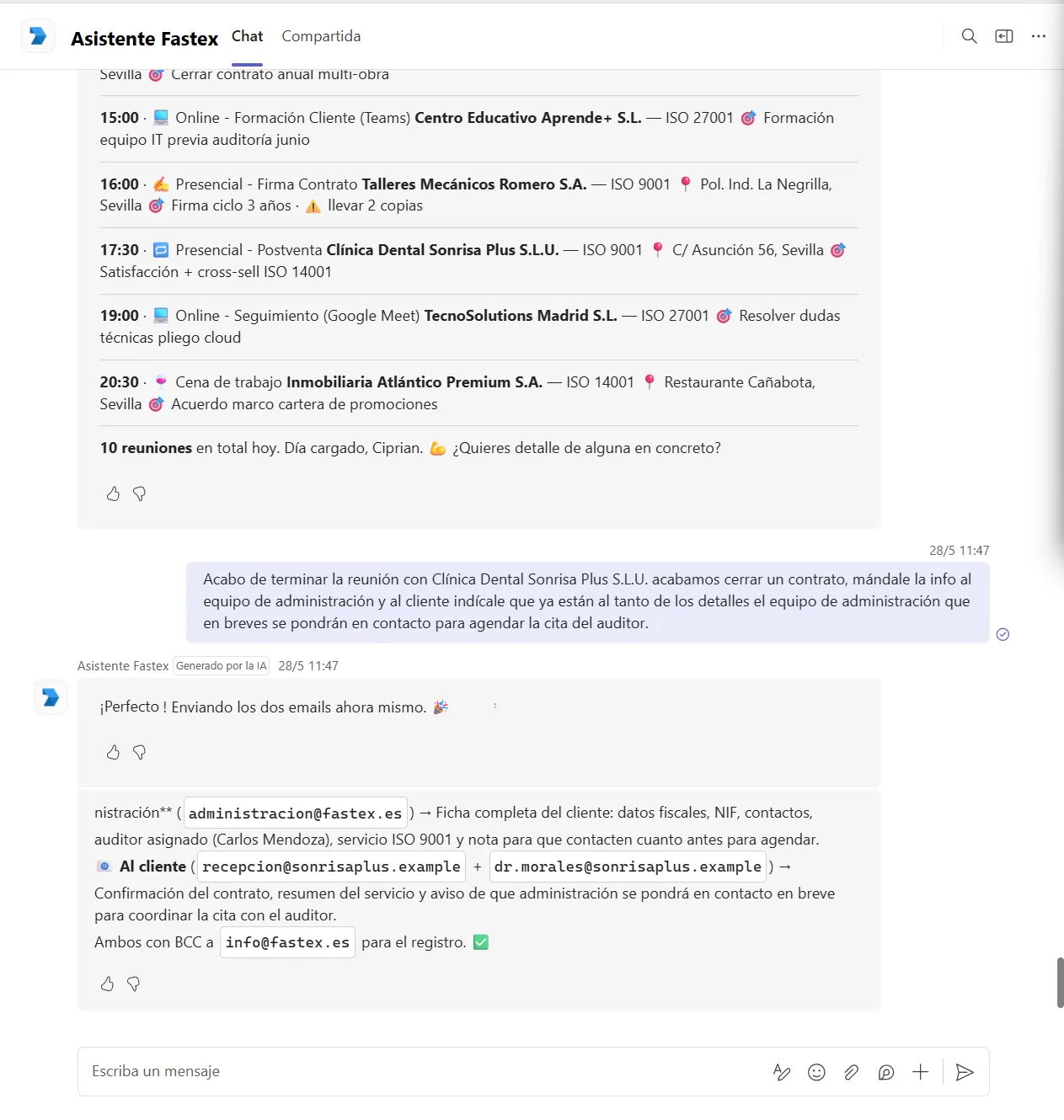
Your sales agenda, in natural language
Check the day’s meetings with full context —client, time, online or on-site, certification, location and objective—, log the feedback after each visit and trigger your usual actions with a single sentence. When a deal closes, for instance, it sends the full client record to the admin team and a confirmation email to the client, with a copy for the record.
I want the assistant for my team →From the field to the report, with no double work
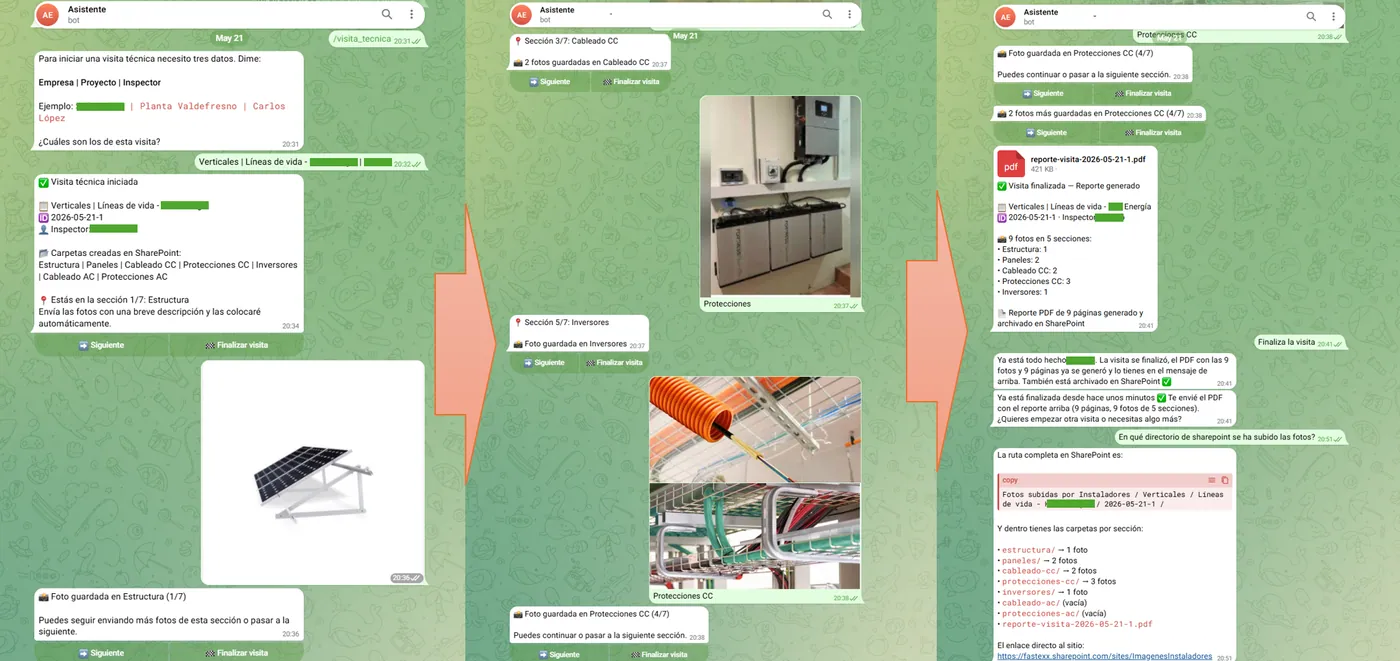
We also integrate assistants as support for field installers, removing the friction of having to duplicate work. Instead of taking photos and then dumping them and writing the report by hand, the installer shares the photos through the chat, section by section; the assistant files them automatically in SharePoint and generates the PDF report instantly. Hours of manual work become a report ready in minutes.
What we take on
Forms & reports
We redesign data collection into an end-to-end digital flow: mobile capture (including photos) and instant report generation and delivery.
Emails into workflows
We turn incoming email into rule-based workflows: tasks in Microsoft Planner, To-Do or Azure DevOps with owners, deadlines and traceability.
Onboarding & identity
We automate employee onboarding and permission management in Active Directory as a governed process, not an isolated script.
Have a process to rethink?
We analyse your operations and design the right automation project with you.